How to Set Up IPTV on MAG Boxes and Enigma2 Receivers (Complete 2026 Guide)
MAG boxes and Enigma2 receivers are the set-top boxes of serious IPTV. They are not apps on a phone or stick; they are dedicated devices built to sit under the TV and play live channels reliably for years. If you have a MAG box or an Enigma2 receiver such as a Zgemma, this guide covers everything: how each one works, how to set up your line step by step, how the guide and portals differ from app players, and how to fix the handful of problems that come up. The approach is different from Smarters Pro or TiviMate, but once configured, these boxes are among the most stable ways to watch.
In this guide: what MAG and Enigma2 are, how they differ from apps, MAG setup, Enigma2 setup, the guide, troubleshooting, and a full FAQ.
What are MAG boxes and Enigma2 receivers?
Both are dedicated set-top boxes rather than apps. A MAG box (made by Infomir) is a simple, purpose-built IPTV receiver: you load a portal, and it shows your channels. An Enigma2 receiver (such as a Zgemma or similar Linux box) is more powerful and flexible, running the open Enigma2 system where IPTV is added through a playlist or plugin. MAG is the plug-and-play option; Enigma2 is the enthusiast option with more control.
How they differ from app players
| MAG / Enigma2 boxes | App players (Smarters, TiviMate) | |
|---|---|---|
| Type | Dedicated hardware | App on a device |
| Setup | Portal URL or playlist on the box | Xtream Codes or M3U in the app |
| Stability | Very high, built for live TV | High, depends on the device |
| Flexibility | Fixed purpose (MAG); very flexible (Enigma2) | Flexible, many features |
| Best for | A permanent living-room setup | Phones, sticks, quick setups |
How to set up IPTV on a MAG box
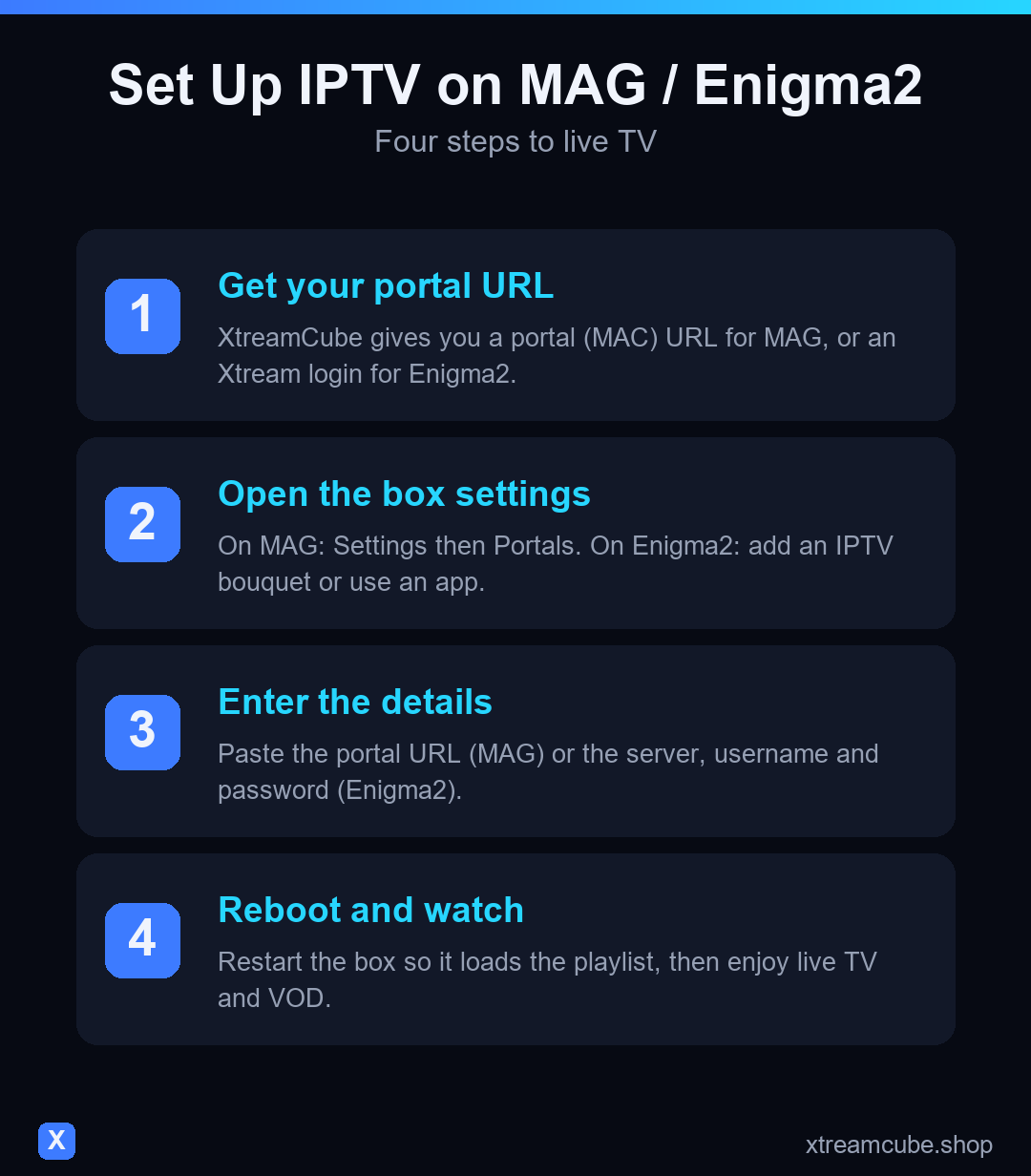
MAG boxes use a portal rather than an Xtream Codes or M3U login, so the key detail is the MAC address of your box, which the portal is tied to.
- Connect the MAG box to your TV and to the internet, ideally by Ethernet for stability.
- Find the box’s MAC address (on a sticker underneath and in the settings menu) and give it to XtreamCube so your line is linked to it.
- On the box, go to Settings, then System Settings, then Servers, then Portals.
- Enter the portal URL provided for your line in Portal 1.
- Save, then restart the box from the menu.
- On reboot it loads the portal and your channels appear.
If channels do not load, double-check the MAC address was registered correctly and the portal URL has no typos.
How to set up IPTV on an Enigma2 receiver
Enigma2 boxes (Zgemma and similar) are more flexible. The most common route is adding your line as an M3U playlist, often through the IPTV Bouquet Maker or a similar plugin.
- Make sure the receiver is connected to the internet, ideally wired.
- Find the receiver’s IP address in its network settings.
- In a web browser on your computer, open that IP address to reach the box’s web interface.
- Use the IPTV playlist or bouquet tool to add your M3U URL from XtreamCube.
- Upload or save the bouquet, then reload channels on the receiver.
- Your IPTV channels now appear as a bouquet alongside the box’s other inputs.
Exact menus vary by image and model, but the principle is always: add the M3U playlist as a bouquet, then reload.
The guide (EPG) on these boxes
MAG boxes pull the guide from the portal automatically, so it populates once the portal loads. On Enigma2, the EPG for an IPTV bouquet may need an EPG source configured, or it maps from the playlist. As always, check the box’s time zone, or the schedule will land in the wrong slot. For the general idea, see how to add EPG to IPTV.
Troubleshooting MAG and Enigma2
| Problem | Likely cause | Fix |
|---|---|---|
| No channels after adding the portal | MAC not registered or portal typo | Confirm the MAC with XtreamCube; recheck the portal URL |
| Channels freeze | Connection | Use Ethernet, not Wi-Fi. See freezing fixes |
| Guide empty or wrong | EPG source / time zone | Set the correct time zone; configure the EPG source on Enigma2 |
| Enigma2 bouquet will not load | Playlist URL or reload needed | Recheck the M3U URL and reload channels |
| Portal loads but is slow | Box or network | Restart the box; use a wired connection |
Should you use a box or an app?
If you want a permanent, set-and-forget living-room setup, a MAG or Enigma2 box is excellent and very stable. If you want something quick, portable, or you already have a Fire Stick or Android TV, an app player like IPTV Smarters Pro or TiviMate is simpler to set up. Your XtreamCube line can work either way; see the full players list to decide.
Test your line first
Before committing a box to a portal or bouquet, it helps to confirm your line is healthy. Start a free 24-hour trial with no payment details, get your login by email, and test it, then set up your MAG or Enigma2 box with confidence.
Frequently asked questions
What is a MAG box? A dedicated IPTV set-top box by Infomir. You load a portal tied to the box’s MAC address and it shows your channels.
What is an Enigma2 receiver? A Linux-based set-top box, such as a Zgemma, that plays IPTV through an M3U playlist or bouquet and offers lots of control.
Why does a MAG box need my MAC address? Because the portal is linked to that specific box’s MAC, so your line has to be registered to it.
How do I add IPTV to an Enigma2 box? Open its web interface by IP address and add your M3U playlist as a bouquet, then reload channels.
Wi-Fi or Ethernet? Ethernet, wherever possible. These boxes are for stable living-room viewing, and a wired connection prevents most freezing.
Why are my channels not loading on the MAG? Usually the MAC was not registered or the portal URL has a typo. Recheck both.
Is a box better than an app? For a permanent setup, a box is very stable. For portability and speed, an app is simpler. Both work with your line.
Do these boxes support catch-up? Often yes, where your line provides it; see our catch-up guide.
Is there a free trial to test first? Yes, a 24-hour trial with no payment details.
More XtreamCube guides
By the XtreamCube team. Last updated: 2026. We test setups on real devices and connections to keep this guide accurate.