The 20 Best IPTV Players in 2026 (Android TV, Fire TV, Smart TV, iOS & PC)
The player is the app that turns your IPTV subscription into channels on screen. They all read the same login, so the right one is really about your device and the features you want: a good TV guide, catch-up, favourites, multi-screen or just a simple layout. We tested the most popular players across real devices and connections, and this guide ranks the 20 best for 2026 with honest pros and cons, so you can pick in minutes. Whatever you choose, your XtreamCube login works in all of them.
In this guide: how to choose a player, a quick comparison table, the 20 best players reviewed, why a dedicated player beats a browser, whether players are legal, free tools to test your line, and a full FAQ.
How to choose an IPTV player
Before the list, decide what matters to you. The same line runs on every app below, so you are choosing an interface, not a service.
- Your device first. Android TV and Fire Stick have the widest choice; Samsung and LG Smart TVs are easiest with device-key apps; iPhone and iPad have their own strong options.
- The TV guide (EPG). If you watch live a lot, a clean, fast guide matters most.
- Catch-up and recording. Want to rewind or save programmes? Not every player supports it. See catch-up TV.
- Login type. Prefer Xtream Codes where available; it loads channels, guide and VOD automatically.
- Cost. Almost all are free; a few charge a small one-off fee or a premium upgrade.
Quick comparison: the top picks
| Player | Best platform | EPG | Catch-up | Price |
|---|---|---|---|---|
| TiviMate | Android TV / Fire TV | Excellent | Yes (premium) | Free / premium |
| IPTV Smarters Pro | All devices | Good | Yes | Free |
| IBO Player | Samsung / LG | Good | Yes | Device key |
| XCIPTV | Android / Fire | Good | Yes | Free |
| GSE Smart IPTV | iPhone / iPad | Good | Limited | Free |
| Kodi (Simple Client) | Any / PC | Configurable | Via add-ons | Free |
The 20 best IPTV players in 2026
1. TiviMate
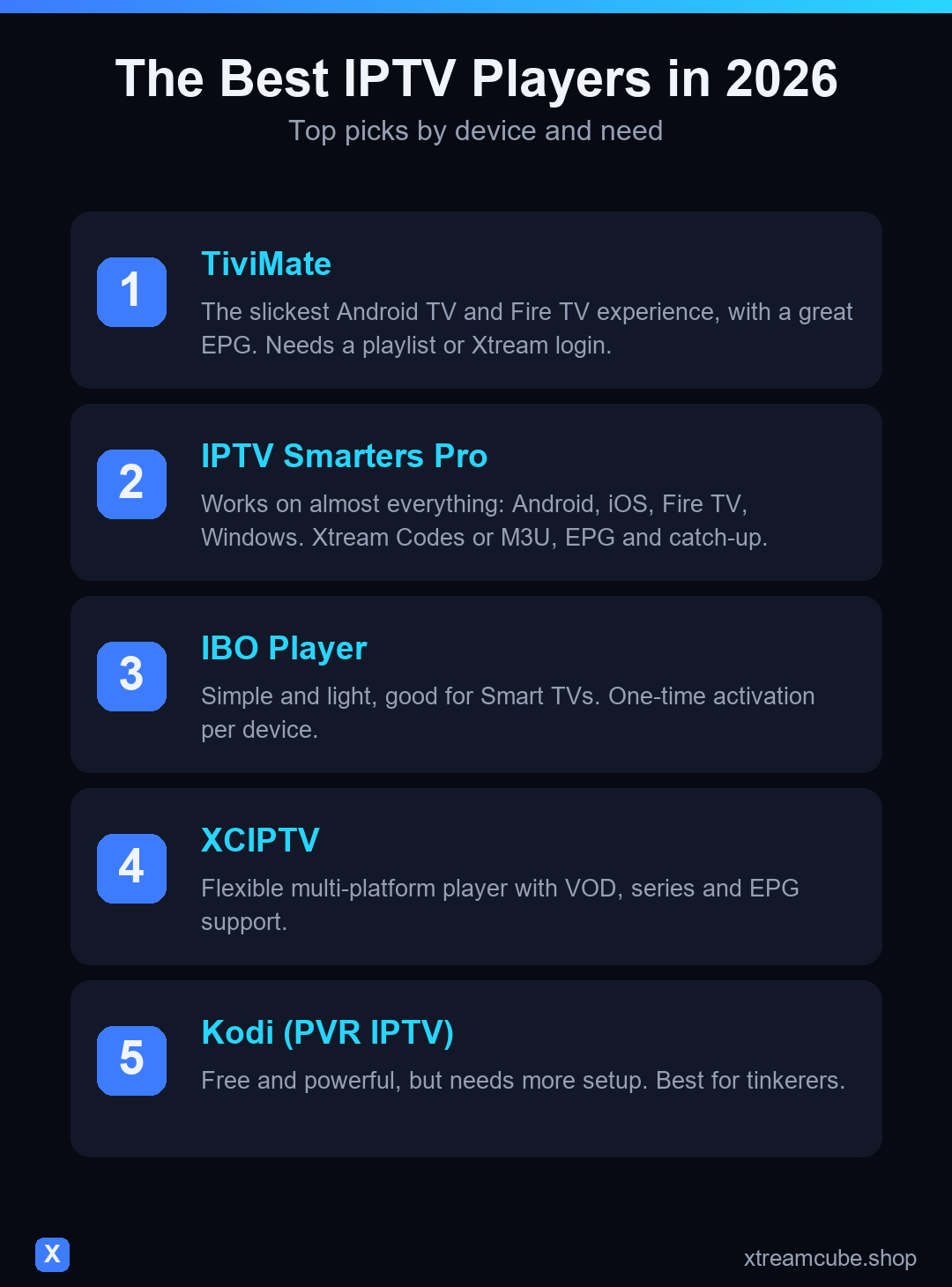
The benchmark on Android TV and Fire Stick, TiviMate pairs a beautiful, fast programme guide with favourites, multiple playlists and a genuinely polished feel. The free version is excellent; the premium upgrade adds catch-up, recording and multi-view. Pros: the best EPG, very stable, great favourites. Cons: Android-only, best features are paid. Best for: Android TV and Fire Stick users who want the nicest experience. Verdict: the gold standard on Android TV. Setup: TiviMate guide.
2. IPTV Smarters Pro
The versatile all-rounder: it runs on Android, iOS, Fire TV, Windows and macOS, reads Xtream Codes and M3U, and supports multiple profiles with a built-in player. Pros: works on everything, easy login, VOD support. Cons: the interface is functional rather than fancy. Best for: people who want one app across every device. Verdict: the safest first choice for most users. Setup: Smarters Pro guide.
3. IBO Player
The go-to on Samsung and LG Smart TVs, IBO uses device-key activation: the TV shows a key, you send it to us, and your line loads with nothing to sideload. Pros: no sideloading, clean interface, easy. Cons: fewer power-user features than TiviMate. Best for: Smart TV owners who want the simplest path. Verdict: the easiest player on a Smart TV. Setup: IBO Player guide.
4. XCIPTV
A feature-rich player for Android and Fire TV with multi-screen viewing, catch-up and a modern layout. Pros: multi-screen, lots of features, active development. Cons: the free build shows ads. Best for: power users on Android or Fire who want more than Smarters. Verdict: a strong, modern alternative to Smarters Pro.
5. Perfect Player
A lightweight, highly configurable classic for Android and Windows, with a customizable on-screen display and solid stability. Pros: light, stable, very configurable. Cons: dated interface, slower development. Best for: minimalists who want a no-frills, reliable player. Verdict: a dependable old hand.
6. GSE Smart IPTV
One of the best options on iPhone, iPad and Android, with Xtream Codes support, EPG and subtitles. Pros: great on Apple, subtitle support, free. Cons: the interface can feel busy. Best for: Apple users. Verdict: a top pick on iOS. Setup: IPTV on Apple.
7. Kodi (with PVR IPTV Simple Client)
Not a dedicated IPTV app but a full media centre that plays IPTV through the free PVR IPTV Simple Client add-on. Pros: ultimate flexibility, skins, runs on everything, completely free. Cons: the steepest setup of any option here. Best for: tinkerers and home-theatre PC users. Verdict: the most flexible choice, with the biggest learning curve.
8. MYTVOnline (Formuler)
The default player on Formuler boxes, tuned for that hardware with a polished guide and smooth channel switching. Pros: optimized for Formuler, stable, nice UI. Cons: tied to Formuler devices. Best for: Formuler box owners. Verdict: the natural choice if you own a Formuler.
9. OTT Navigator
A deeply customizable Android and Fire TV player with a rich guide, archive (catch-up) and multi-view. Pros: enormous customization, strong catch-up, multi-view. Cons: so many settings it can overwhelm beginners. Best for: advanced Android users who like to tweak. Verdict: a power-user favourite.
10. ImPlayer
A clean, cross-platform player that runs on Apple TV, Android, Fire TV and some Smart TVs, with a built-in guide and recording. Pros: cross-platform, tidy interface, guide and recording. Cons: best features need the premium version. Best for: Apple TV owners and multi-device households. Verdict: a polished pick that travels across platforms.
11. Televizo
A neat, no-fuss Android player with Xtream Codes and M3U support and a clean guide. Pros: tidy interface, free core features. Cons: Android-only. Best for: simple, clutter-free viewing on Android. Verdict: a clean, underrated option.
12. Smart IPTV (SIPTV)
A long-standing Smart TV player that loads your playlist by uploading it to your device portal. Pros: wide Samsung and LG support, well established. Cons: a small one-time fee after the trial, dated design. Best for: Smart TV owners who do not want to sideload. Verdict: a veteran that still works well.
13. Flix IPTV
A simple Smart TV player using device-key activation, similar to IBO. Pros: easy TV activation, clean. Cons: fairly basic feature set. Best for: Smart TV users who want simplicity. Verdict: a solid IBO alternative.
14. Room IPTV
Another clean device-key player for Samsung and LG, with straightforward activation. Pros: easy to set up, tidy interface. Cons: fewer advanced features. Best for: Smart TV owners. Verdict: a dependable key-based TV app.
15. BOB Player
A quick, light player popular on Fire TV and Android that gets you watching fast. Pros: very fast to set up, light on resources. Cons: simple feature set. Best for: a quick Fire Stick setup. Verdict: fast and fuss-free. See Firestick guide.
16. Hot Player
A lightweight Android and Fire TV player aimed at speed and simplicity. Pros: quick, light, easy. Cons: basic. Best for: minimal setups. Verdict: a tidy lightweight option.
17. CR7 Player
A straightforward player for Android and Fire TV with simple activation. Pros: easy to get going. Cons: limited features. Best for: users who want the simplest possible setup. Verdict: no-frills and reliable.
18. Nine Player
A mobile-friendly player for iOS and Android, easy to use on a phone or tablet. Pros: simple on mobile, quick setup. Cons: basic compared with TV players. Best for: phones and tablets. Verdict: an easy mobile choice.
19. Duplex Play
A popular Smart TV and Fire TV player that loads your line through a device portal. Pros: well known on TVs and Fire, broad support. Cons: dated design, small fee. Best for: Smart TV and Fire TV users. Verdict: an established, widely used option.
20. Sparkle TV
A newer Fire TV and Android TV player with a modern interface and a clean guide. Pros: fresh, modern UI, easy navigation. Cons: newer and less battle-tested. Best for: Fire and Android TV users who want a fresh look. Verdict: a promising newcomer worth trying.
Which player should you pick?
- On a Samsung or LG TV: start with IBO Player (or Flix / Room).
- On Android TV or Fire Stick and want the best guide: TiviMate.
- Want one app on every device: IPTV Smarters Pro.
- On iPhone or iPad: GSE Smart IPTV.
- Love to tinker on a PC or box: Kodi.
Still unsure between the big three? Read our head-to-head: Smarters Pro vs TiviMate vs IBO. The full directory is in our player setup guides.
Why use a dedicated IPTV player?
You can open a plain M3U link in a browser or basic media app, but a dedicated player adds the things that make IPTV pleasant to live with: a proper channel guide, favourites, catch-up, parental controls and a layout built for a remote. A good player also handles reconnections and switching more gracefully, so you spend less time fiddling and more time watching.
Are IPTV players legal?
The players themselves are ordinary media apps and are perfectly legal; they are just software that reads a login. What matters is the source of your subscription and your local rules. XtreamCube carries streams from legitimate IPTV panels, and legal responsibility depends on your own use and local regulations. None of the apps above host any content; they only display what your line provides.
Test your line with our free tools
Whichever player you choose, our free IPTV tools let you check that a line works, test an M3U playlist, convert between M3U and Xtream Codes and clean duplicates, with no account and nothing to install. They are the quickest way to confirm your line is healthy before you set up a player.
Try any player free
The best way to compare players is on your own screen and connection. Start a free 24-hour trial with no payment details, get your Xtream Codes login by email, and load it into any player above.
Frequently asked questions
What is the best IPTV player overall? TiviMate for Android TV and Fire Stick, IPTV Smarters Pro for an app that works on every device, and IBO Player for Samsung and LG Smart TVs.
Do all these players work with the same subscription? Yes. Your login is identical across players, so you can switch any time. Remember one line usually plays on one device at a time.
Which IPTV player is free? Most are free, including Smarters Pro, XCIPTV, GSE Smart IPTV, Televizo and Kodi. TiviMate is free with a paid premium tier; a few Smart TV apps charge a small one-off fee.
What is the best IPTV player for Firestick? TiviMate for the nicest guide, or IPTV Smarters Pro for the simplest setup.
What is the best IPTV player for Samsung or LG? IBO Player, because it activates with a device key and needs no sideloading. Flix IPTV and Room IPTV are good alternatives.
Which player is best on iPhone? GSE Smart IPTV, with ImPlayer a strong choice on Apple TV.
Do I need Xtream Codes or an M3U link? Either works. Xtream Codes is smoother because it loads the guide and VOD automatically.
Why does my player keep buffering? Almost always the connection, not the app. Use a wired link and see why IPTV keeps freezing.
Can I record or rewind with these players? Some, yes. TiviMate (premium), XCIPTV and OTT Navigator support catch-up or recording; see catch-up TV.
Is there a free trial to test a player? Yes, a 24-hour trial with no payment details.
More XtreamCube guides
By the XtreamCube team. Last updated: 2026. We test players on real devices and connections to keep this list accurate and current.