IPTV Smarters Pro vs TiviMate vs IBO Player: Which Should You Use in 2026?
These three are the players most IPTV users end up choosing between, and the right answer depends entirely on your device and how you like to watch. They all do the same core job: turn your subscription into live channels, a guide, catch-up and video-on-demand. Where they differ is polish, platform support and how you log in. This guide compares all three head to head, tells you which to pick for each device, and shows exactly how to get your line running in whichever one you choose. Your XtreamCube login works in all of them, so you can try each and keep the one you like.
In this guide: the quick verdict, a full comparison table, each player in depth, which to pick by device, how to set up, switching between them, troubleshooting, and a FAQ.
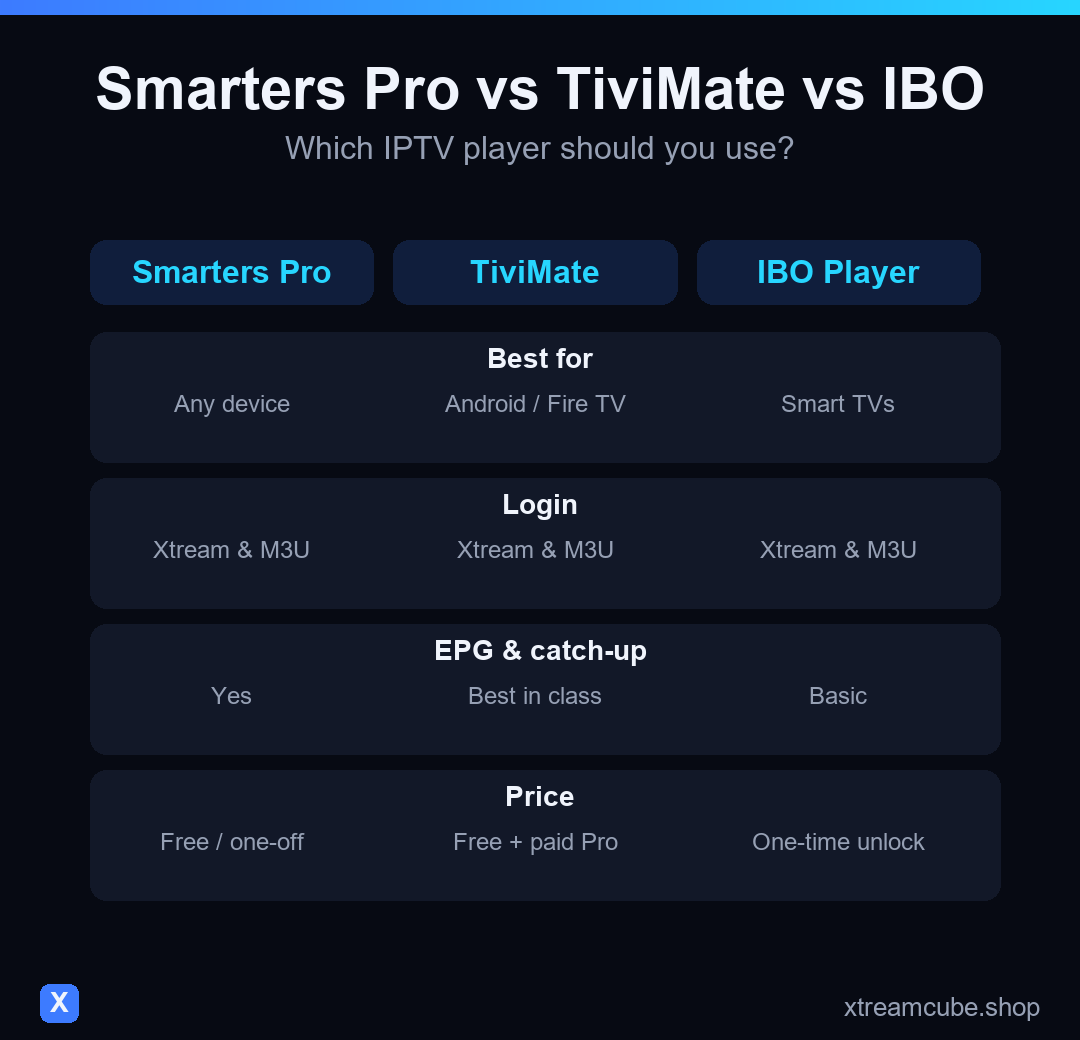
The quick verdict
- Best all-rounder, works everywhere: IPTV Smarters Pro.
- Best experience on Android TV and Fire Stick: TiviMate.
- Best for Samsung and LG Smart TVs (no sideloading): IBO Player.
If you are not sure, start with Smarters Pro: it runs on nearly everything and reads both Xtream Codes and M3U.
Full comparison
| Feature | IPTV Smarters Pro | TiviMate | IBO Player |
|---|---|---|---|
| Best platform | Everything | Android TV / Fire Stick | Samsung / LG Smart TV |
| Xtream Codes login | Yes | Yes | Yes |
| M3U login | Yes | Yes | Yes |
| Guide (EPG) quality | Good | Excellent | Good |
| Catch-up | Yes | Yes (very polished) | Yes |
| Recording | Basic | Yes (premium) | Limited |
| Needs sideloading? | On Fire Stick | On Fire Stick | No |
| Cost | Free | Free + optional premium | Small one-off device fee |
IPTV Smarters Pro in depth
Smarters Pro is the most popular player in the world because it goes nearly everywhere: Android, Fire Stick, iOS, Windows, macOS and some Smart TVs. It reads both Xtream Codes and plain M3U, so it works with almost any provider. The interface is clean, with favourites, catch-up, VOD, multiple profiles and an external-player option for stubborn streams. It is the safe default. Full walkthrough: how to use IPTV Smarters Pro.
TiviMate in depth
On Android TV and Fire Stick, TiviMate is the one enthusiasts reach for. Its guide is the best of the three, catch-up is beautifully handled, and the premium tier adds recording and multiple playlists. The catch is platform: it is built for Android TV and Fire Stick, not phones or Smart TVs. If that is your device, it is hard to beat. Full walkthrough: TiviMate setup guide.
IBO Player in depth
IBO Player solves the Smart TV problem. On Samsung and LG, sideloading apps is awkward; IBO uses a device key you activate online, so there is nothing to sideload. It covers the essentials well: live channels, guide, catch-up and VOD. For a living-room TV that cannot easily install Smarters or TiviMate, it is the simplest route. Full walkthrough: IBO Player setup guide.
Which should you pick for your device?
| Your device | Best choice | Why |
|---|---|---|
| Android phone / tablet | Smarters Pro | Full features, installs from the Play Store |
| Android TV box | TiviMate | Best guide and catch-up on this platform |
| Amazon Fire Stick | TiviMate or Smarters | Both excellent; TiviMate for the guide |
| iPhone / iPad | Smarters Pro | Reliable on iOS via the App Store |
| Samsung / LG Smart TV | IBO Player | No sideloading needed |
| Windows / Mac | Smarters Pro | Desktop build; or VLC for a quick test |
How to set up your line (any of the three)
The steps are nearly identical. Use Xtream Codes where offered, because it loads the guide and VOD automatically.
- Install the player on your device.
- Choose the Xtream Codes login.
- Enter the Server URL, Username and Password from XtreamCube.
- Let it load channels, guide and VOD, then start watching.
No subscription yet? Grab a free trial and plug the login into whichever player you are testing. For the full process across devices, see how to set up IPTV.
Switching between players
Because your XtreamCube login is the same everywhere, you can install all three, enter the same details, and decide which you prefer. Nothing on your account changes. Many users run TiviMate on the TV and Smarters Pro on their phone from one line.
Troubleshooting
| Problem | Fix |
|---|---|
| Buffering in any player | It is the connection, not the app. Use Ethernet, lower to HD. See freezing fixes |
| Empty guide | Use Xtream Codes, refresh the EPG, check the time zone |
| Cannot install on Smart TV | Use IBO Player instead of sideloading |
| A stream looks rough in one app | Try it in another player; your login works in all |
Try all three on one free trial
The honest way to choose is to test them on your own device and connection. Start a free 24-hour trial with no payment details, get your login by email, and enter it in Smarters Pro, TiviMate and IBO to feel the difference yourself.
Frequently asked questions
Which IPTV player is best overall? Smarters Pro is the best all-rounder because it works on nearly every device. On Android TV and Fire Stick, TiviMate’s guide is the best.
Is TiviMate better than Smarters Pro? On Android TV and Fire Stick, many prefer TiviMate’s guide and catch-up. On other devices, Smarters Pro is more flexible.
Why would I use IBO Player? Because it needs no sideloading on Samsung and LG Smart TVs, where installing other players is awkward.
Can I use the same login in all three? Yes. Your XtreamCube login works in every player, so you can switch freely.
Are these players free? Smarters Pro is free, TiviMate is free with an optional premium tier, and IBO uses a small one-off device fee.
Which is easiest for beginners? Smarters Pro, because it installs easily and reads both Xtream Codes and M3U.
Do they all support catch-up? Yes, where your line provides it; TiviMate handles it especially well.
Can I run different players on different devices? Yes, from the same line, for example TiviMate on the TV and Smarters on your phone.
Is there a free trial to compare them? Yes, a 24-hour trial with no payment details.
More XtreamCube guides
By the XtreamCube team. Last updated: 2026. We test setups on real devices and connections to keep this guide accurate.